This is where you end up if you hit the “More” box on the Ukes4Fun Facebook Page:
https://www.facebook.com/Ukes4Fun/app_156218351098324
Ukes4Fun Blog
Great Uke Strumming Tutorial by Dave Newton @daveyworld of #LeftHandStairUkes #BarLoco
Dave led the Left Hand Stairs Ukes session on Tuesday and gave us loads of playing tips! This is one of his tutorials on YouTube.
Left Hand Stair Ukes Facebook Group: https://www.facebook.com/groups/581354818541600/
New Uke Group – Hartlepool – Sundays 10:30 – 12:30, St. Matthew’s Hall

UPDATE: 26 June 2013 – New venue, days and times! HUG Update
—————————————————————————————-
The inaugural meeting of Hartlepool Ukulele Group (name to be confirmed) was held on Jan 20th, nine players turned out on a cold Sunday morning. After 10 minutes we were all playing with gusto and having good fun.
We meet every Sunday morning (10-30 to 12-30) at St Matthew’s Hall, Elwick Road, Hartlepool. TS26 9AE
All welcome, tea, coffee and biscuits, £2 per session.
Go on give us a visit (you know you want to).
Contact:
Email (Spam protected – select to see address): h…@y…o.uk
Phone: Geoff on 01429 291542.
St Matthews Hall: http://www.stranton-church.org.uk/stmatthews.HTML
Many thanks to Geoff for this info – Geoff has also added all the details on the spreadsheet that is linked from this page:
Ukulele Chord Chart PocketMod

The Ukulele-Tabs.com website has some fantastic free resources, including chord charts.
A “PocketMod” is a little 8 page booklet made from a single sheet of paper – A4 (UK) or Letter Size (USA).
I have made a “Ukulele Chord Chart PocketMod” with a program called PagePacker (Mac only). I tried some other chord charts but the UkuTabs chart printed out much the clearest.


Jonas, who runs the UkuTabs website has very kindly given permission for me to post the sheets here for printing.
1. Instructions for folding and cutting to create a PocketMod:
There is no easy way to describe this. The official instructions are not necessarily the easiest to follow, so . . . Let Me Google That For You
2. Download pdf: UkuTabs PocketMod – logo on back (layout for pages to fan correctly)
The version with the logo on the back looks wrong but the pages fan correctly.
3. Download pdf: UkuTabs-all-PocketMod – logo on front
This version looks correct but the paging does not work quite right.
(Although these were the clearest chord diagrams that I tried, I still need my reading glasses to see these little charts. All I need to do now is remember to pack a copy in my uke case along with my specs! Some people have tried laminating PocketMods – I haven’t, so I don’t know how well that works.)
If you want to make your own PocketMods:
PocketMod was originally invented as a “low-tech PDA” (Personal Digital Assistant). A quick internet search will reveal many other ideas for uses of PocketMods. This one suggests a template for self-improvement http://hipsterhabitapp.com/ . . . maybe I will make a version for practicing Bb . . . or maybe I won’t . . .
As you can see from that example, you don’t necessarily need a computer and printer to make a PocketMod – just a piece of paper and something to write with. There is an origami site that suggests you don’t even need a pair of scissors, as long as you can tear the paper cleanly.
Some “high-tech” PocketMod generators:
- PocketMod Online and Windows PC versions at http://repocketmod.com/ (the original pocketmod.com site still exists but is not actively maintained so the materials are not up to date – so use repocketmod.com instead). PLEASE NOTE: The option to print to A4 looks as if it is going to work with these tools but it does not – so you need to trim the page after printing. Fold first and then you will see exactly how much you need to trim.
- PocketMod Mac Version: PagePacker (the A4 option DOES work using this tool)
Hound Dog Ukulele Workshops, Whitley Bay

Many thanks to Jim Newman for adding information about the Hound Dog Ukulele Workshops to the spreadsheet:
- Follow this link http://j.mp/NEukesList
- Then scroll down to the entry for Whitley Bay to see details of Hound Dog Ukulele workshops starting in January 2013.
Après-Xmas Ukes – 27th Dec is
It might be a bit of a quiet session but if you need a hair of the dog to cure your Xmas hangover – the Thursday session on 27th Dec at the Cumberland Arms is on :-)
Happy Xmas everyone,

Ukers North East and Cumbria Facebook Group
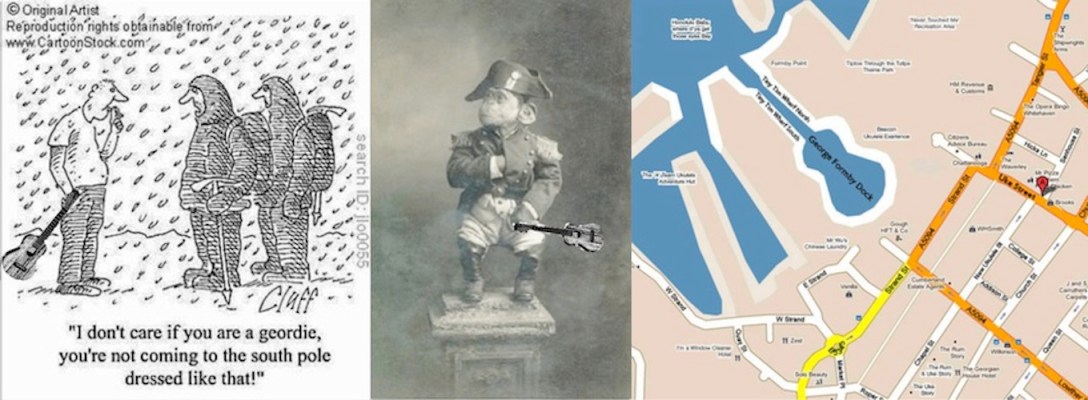
Many thanks to Brian Conaty for suggesting setting up a Facebook Group for uke fans across the North East to get together and share info online:
http://www.facebook.com/groups/UkersNorthEast/
Once you join the Group you can also participate by email to:
UkersNorthEast@groups.facebook.com
UPDATE: 26 May 2014
- Over 120 members to date
- Added daft cover photo today
- The url remains the same but not long ago we added “and Cumbria” to the name of the Group – because there are members in Cumbria too.
Best wishes,
Lizzie
“Putting on the style” at The Board Inn, Hawes
Many thanks to Jazzy Lemon for the video.
Great weekend away – many thanks to Dot and Christine for organising everything!
Welcome back, Ukulele Cosmos!
If you haven’t visited the “ukulele pub” at Cosmos yet, here are a couple of reviews to give you a taster:
Ukulele Gazette
Here’s a super forum to hang out in with like-minded people.
Ukulele Cosmos is a well-known forum with leaning to the UK but all nationalities are welcome. There’s also a good selection of interesting links to other ukulele related internet resources. Good site with lots of friendly people.

UkUke
Useful and friendly bulletin board run by UK ukist Alli Bee though it is popular with international contributors. It has many useful sections including recordings, technical, theory, luthier, banjo-ukes as well as general uke talk and even a section for just sounding off on any topic.
Update:
I have updated the previous post to make the advice about “internet security”, “safe browsing” and avoiding getting ambushed by malware more general.
Ukulele Cosmos Back in Business!
Update: 11th Oct 2012
GOOD NEWS! UKULELE COSMOS IS BACK! :-)
The general “internet safety” advice below still holds good, wherever you roam in cyberspace . . .
Alli B, who runs the Ukulele Cosmos forum, worked hard and got the hack-attack problem on the forum in 2012 sorted out very quickly.
Every one of us can take a few simple steps to protect our computers and personal information from hackers, wherever they lurk.
I am not a computer security expert. These are my personal suggestions for the order in which to investigate and take action to protect your computer and your personal information.
Good Luck!
Lizzie
01) Firefox web browser | International versions: Get Firefox in your language
Download page for Firefox English GB version
Firefox is recognised as one of the safest, if not the safest, browsers. You can make it even safer by installing specific “add-ons” aka “extensions”.
If you do not like Firefox, have a look at Seamonkey: many Firefox add-ons work with Seamonkey.
Other safer alternatives to Internet Explorer are Google Chrome and Safari. Firefox, Seamonkey, Google Chrome and Safari. All have Google Safe Browsing embedded already.
Information on: Google Safe Browsing
02) “Must Have” Security, Functionality and Performance Add-ons :: Collections :: Add-ons for Firefox
This is a collection of “basic security” Firefox Add-ons that I have put together.
Some of them help to make browsing the internet even safer. Some of them improve Firefox functionality and performance. Not all of them will work with Seamonkey – I will compile a similar collection for Seamonkey.
Note: One of the best ways to protect your self from being ambushed by malware downloads is to use the NoScript add-on. This is available for Firefox and Seamonkey. There are similar-sounding add-ons for other browsers but they will not protect you as comprehensively as NoScript.
03) Viruses, Trojans, Malware – and other aspects of Internet Security: Apple Support Communities
Apple Support Forum – Viruses, Trojans and Malware
Mac computers do not get Mac viruses because no one has bothered to make any (there have been two reported maybe?)
However, Mac computers can get Windows viruses and Mac users might inadvertently pass them on to Windows users, eg. via emails.
Mac computers have been targetted by Trojan malware. If you want to know the difference between viruses and trojans, read the other articles in this set of links.
04) 1 in 5 Macs has malware on it. Does yours? | Naked Security
Sophos Mac Malware Study
Sophos says: “One in every five Mac computers is harbouring some kind of malware, a new study from the experts at Sophos has revealed. Sophos has revealed a disturbingly high level of malware on Mac computers – with both Windows and Mac threats being discovered.”
Sophos provides a free anti-virus app for Macs. There are others around that are as good or perhaps even better. Sophos is one that is generally highly recommended. If you don’t like it, try one of the others – do a search for “best free Mac anti-virus”.
05) Malware – Good to Know – Google
Info from Google about online safety and malware.
06) Strange pop-ups and other malware – Web Search Help
More info from Google about signs of malware.
07) How can I tell if my computer has a virus?
Info from Microsoft about malware.
08) How do I remove a computer virus?
Info from Microsoft about malware removal.
09) How to tell if your computer has the Malware Virus and what to do about it | news10 net
More info about a common type of malware.
10) How to Tell if Your Computer Is Infected by a Trojan Horse
More info about malware: trojan horses
11) StopBadware – Information for Internet Users
More info about malware – very good guidance.
12) Sucuri Blog Search Results
Info about the malware that hackers injected into the Ukulele Cosmos forum.
13) Malware Campaign | Sucuri Blog
More info about the malware that hackers injected into the Ukulele Cosmos forum.
14) Google Diagnostic (updated 11-11-2012)
A site infected with malware will usually show up with a warning next to its name in Google Search Results. Some browsers (see below) will automatically redirect you to a very obvious “warning” page if Google has detected malware on the site.
If you do not use a browser with Google Diagnostic embedded (Firefox, Seamonkey, Safari, Google Chrome) you can use the form or bookmarklet on this page to check if it is safe to visit a site:
http://grapethinking.com/google-safe-browsing-diagnostic
Unless your computer is well protected with a fire-wall, anti-virus scanner, etc. it is safest not to visit a site if the diagnostic page says:
“Site is listed as suspicious – visiting this web site may harm your computer.”
As I said above, I am not a computer security expert. If you have better suggestions than I have made above, please post them as comments below.
The Ukulele Cosmos Forum is a great, friendly place to visit. All best wishes to Alli and may the hackers rot in hell!
 Ukes4Fun