How old is this amazingly talented, cute child? Three? Puts us grown-ups to shame!
Teeny Uke-Ninja – wowwwsum performance!!!
How old is this amazingly talented, cute child? Three? Puts us grown-ups to shame!
Blog and website for Ukes4Fun & Misspent Uke Ukulele Sessions
How old is this amazingly talented, cute child? Three? Puts us grown-ups to shame!
NEXT UKES SESSION AT BISCUIT FACTORY – SUNDAY SEPT 5th – 1:30/2:00ish to 4:00/4:30ish
Hawaiin-music oriented but don’t let that stop you checking it out if that is not your thing.
Run by couple of young enthusiasts who write well and really know the score!
|
NO SESSION AT BISCUIT FACTORY TODAY OR NEXT SUNDAY
Best wishes,
Lizzie

1. First, make your songsheets and upload them to the internet – see relevant section of “Chordie Hijack” described here:
chordie-hijack-how-to-use-the-chordie-renderer-to-format-and-print-your-songs
2. Next, register with Chordie if you have not already done – “It’s free and gives you a personal songbook”:
http://www.chordie.com/register.php
The “personal songbook” is the key part here. You can create as many “personal songbooks” as you like. You can make a songbook “public” in order to “publish” your songs with chord names and chord diagrams.
3. Log in to your Chordie account.
4. Go to “My Songbook” (blue navigation tab just under the Chordie logo).
5. Select “add book” at the top of the left-hand menu, next to “Songbooks”
6. Give your songbook a name. ***Do NOT leave this blank or you will not be able to edit or manage your songbook***
5. Use the “Chordie Hijack” to submit a song to the Chordie Renderer:
chordie-hijack-how-to-use-the-chordie-renderer-to-format-and-print-your-songs
6. Look down the menu on the right for “Songbook: ADD”. Change to the correct songbook if necessary, then select “ADD”.
7. Do this for at least two more songs as you need to have at least three songs in your songbook before you can “publish” it.
8. When you have finished, go back to “My Songbook”, select the songbook you want to publish and customise the settings. These settings will apply to the whole songbook. For example, specify the sort order and instrument. (If you change the instrument you need to select “Change” after you have specified the instrument).
9. Select the “publish” button next to, “Make songbook available to everybody”
10. Use the dialogue box that you see next in order to:
If you are able to host the song online (there are multiple services, including a Google service, that will do this for free), you can use the Chordie Chordpro Renderer for formatting/printing. Try this syntax:
…just replace the my_server/directory/file with the correct address.
http://www.chordie.com/chord.pere/my_server.com/my_directory/my_file.chopro
NOTE: Your file name does not need the extension “.chopro” – it could be “.pro” or “.txt” or “.CRD” – but it must be a “plain text” file using “Chordpro” formatting.
This works – I have tried it.
You need to create simple text files but use “chopro” (ChordPro) formatting – not as difficult as it sounds.
For information about Chopro (ChordPro) formatting see:
http://www.pmwiki.org/wiki/Cookbook/ChordPro
and
http://www.pmwiki.org/wiki/Cookbook/ChordPro-Markup
Chordie recommends that for the best results you should use the filename extension “.chopro” or “.chordpro” rather than “.txt”. Just rename your file from “songname.txt” to “songname.chopro” or “songname.chordpro”.
The info on Chordie mentions a “Google service” where you can host your files for free. If you use the filename extension “.txt” you can upload your files to Google Docs. You need to make them “public” to let the Chordie Renderer access them (I have not tried this but it should work).
If you use the filename extensions “.chopro” or “.chordpro” you CANNOT upload your file to Google Docs. However, you CAN upload them to a free Google Site, see:
http://www.google.com/sites/help/intl/en/overview.html
and
http://sites.google.com/support/
I have tried this using Google Sites and it does work. Here is an example:
http://www.chordie.com/chord.pere/sites.google.com/site/ukesforfun/songsheets/BornToBeWild.chopro
Note: This does NOT mean that your song has been indexed by Chordie, ie. if you use the Chordie Search function you will not immediately find your song in the Chordie database. Eventually, Chordie will find your song and it will be indexed.
Next tip: How to “publish” your songs via Chordie, even if they have not been indexed by Chordie.
If you are able to host the song online (there are multiple services, including a Google service, that will do this for free), you can use the Chordie Chordpro Renderer for formatting/printing. Try this syntax:
http://www.chordie.com/chord.pere/my_server.com/my_directory/my_file.chopro
…just replace the my_server/directory/file with the correct address.
Please see this page for details and to download copies of the new songbooks:
https://ukes4fun.org.uk/songsheets/
Lizzie
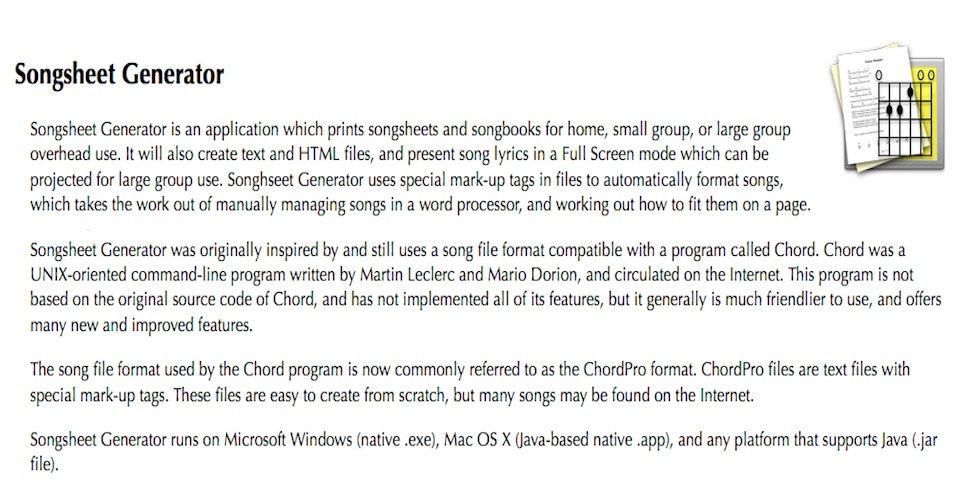
Good news – this means you can use version 1.5 for Mac and Java with the chord definitions supplied by Stewart Greenhill:
http://stewartgreenhill.com/blog/ukulele/
Info on Stewart’s blog:
Chordpro chord definitions for Ukulele
I prepare my ukulele arrangements in chordpro format, and create songbooks using Songsheet Generator. Recent versions of the software have a ukulele mode which allow four-string chords to be printed, rather than the usual six. To get this to work, check the “Ukulele mode” box under “Options -> Chords/Grids”. I put together a database of ukulele chords for use with the program. To install, just download the “chordrc” file to the same folder as the Songsheet Generator program.
On the Mac the file is named com.tenbyten.SG02.chordrc and it lives in your ~/Library/Preferences folder, where ~ is your home directory.
Quotes from www.tenbyten.com:
Songsheet Generator
A program for easily printing and displaying song sheets
Version 1.5 for Mac OS® X + the Java(TM) platform
Version 1.5.2; August 2010 Fixes and minor changes:
Copyright © 1995-2010,
Ten by Ten Software.
Note: the contents of this document apply only to the Mac OS X and Java platform versions of Songsheet Generator. For information about the Microsoft Windows® version, please see the Songsheet Generator web site.
Bob was snapping away merrily while we were at play:


 Ukes4Fun